-
wsl + github 사용하기 1git 2024. 4. 20. 17:06
wsl에서 git을 이용해서 외부 저장소인 github을 사용하는 방법.
- git은 wsl에 포함된 패키지 이므로 따로 설치할 필요 없음.
1. github.com가입
2. new repository -> create repository
3. 위에서 생성된 repository에 들어가서 (https://github.com/{유저네임}/{생성된 repository})
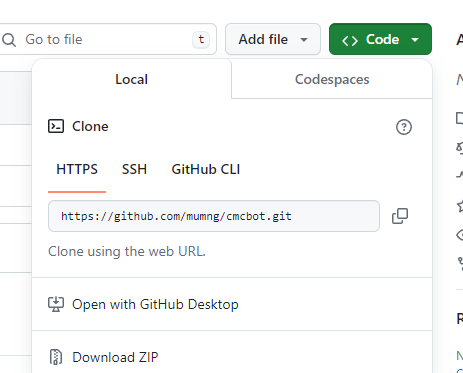
clone을 위한 url (https://github.com/{유저네임}/{생성된 repository}.git) 복사하기
4. wsl에서 git clone {위에서 복사한 url} 엔터

5. 이렇게 하면 github에서 생성한 repository가 현재 디렉토리에 새 프로젝트 폴더로 생성된 것을 확인할 수 있다.
이제 저 프로젝트 폴더에서 코딩을 하면서 필요할때마다
git status
git add {파일 또는 폴더}
git commit
git push (origin main) --> 이걸 사용해서 다시 github에 저장할 수 있다.
'git' 카테고리의 다른 글
github + hexo blog + next theme (0) 2024.04.21 conventional commits (0) 2024.04.20 WSL ubuntu에서 git 사용하기 (1) 2024.04.19 conventional commit summary (0) 2024.04.19 git 기본 명령어 - 파일 다루기 (0) 2024.04.18